
Basic Website: Your Complete 2026 Guide to Getting Started
Building your first digital presence can feel overwhelming, but creating a basic website has never been more accessible. Whether you're launching a personal portfolio, small business site, or community project, understanding the fundamentals empowers you to make informed decisions about your online presence. In 2026, the landscape offers both simplified tools and sophisticated platforms that cater to various skill levels and budgets. This guide walks you through every essential aspect of creating a basic website, from initial planning through launch and beyond.
Understanding What Makes a Basic Website
A basic website serves as your digital foundation, typically consisting of essential pages that communicate who you are and what you offer. These sites generally include a homepage, about page, contact information, and perhaps a services or portfolio section.
The core distinction between a basic website and more complex platforms lies in functionality and scope. While advanced sites might incorporate e-commerce systems, membership areas, or custom applications, a basic website focuses on presenting information clearly and professionally. This simplicity offers advantages including faster load times, easier maintenance, and lower hosting requirements.
Essential Components Every Basic Website Needs
Every functional basic website requires several foundational elements working together seamlessly:
- Domain name that represents your brand and is easy to remember
- Reliable hosting to store your files and serve them to visitors
- Clear navigation that helps users find information quickly
- Contact information making it easy for people to reach you
- Mobile responsiveness ensuring your site works on all devices
- Basic security through SSL certificates and regular updates
These components create the minimum viable presence online. Getting started with web development requires understanding how these pieces interconnect to form a cohesive experience.
Planning Your Basic Website Structure
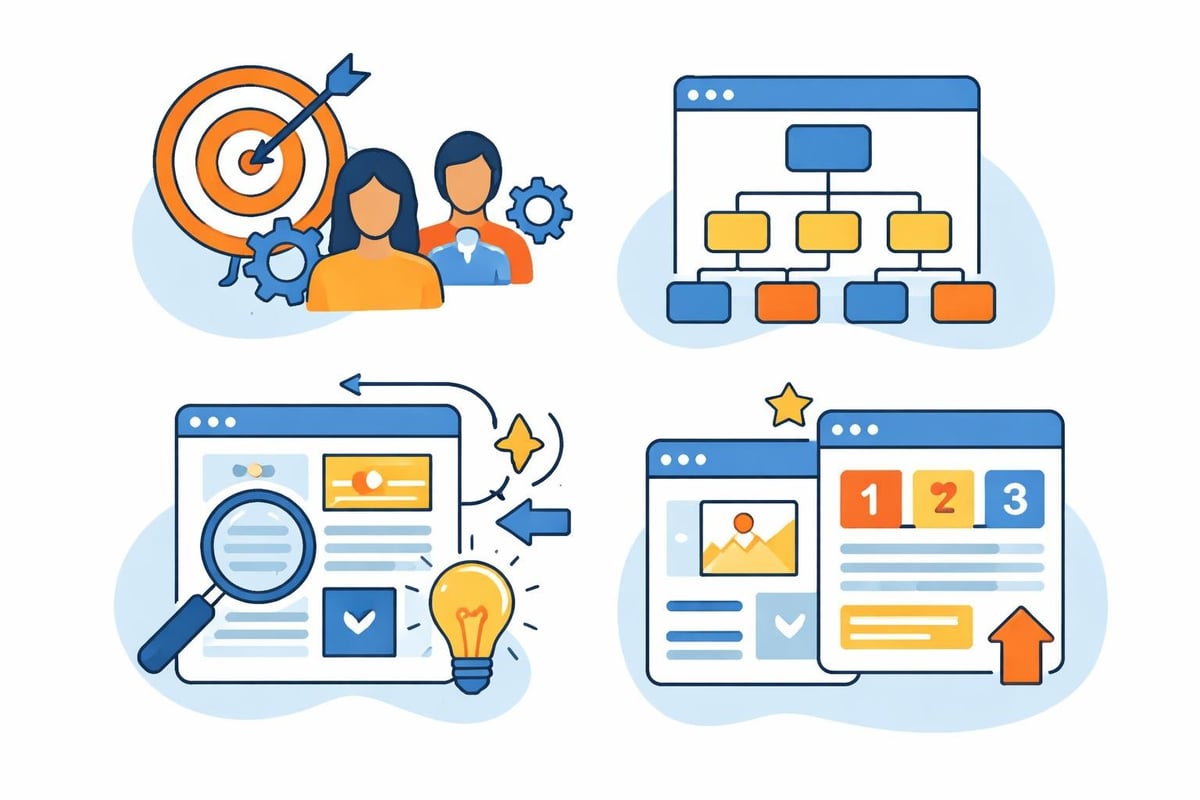
Strategic planning prevents costly mistakes and ensures your basic website serves its intended purpose. Begin by defining clear objectives: Are you establishing credibility, generating leads, or simply providing information? Your goals directly influence design decisions and content strategy.
Mapping Your Site Architecture
Site architecture determines how visitors navigate through your content. For a basic website, simplicity reigns supreme. Most successful basic sites use a flat hierarchy with all main pages accessible from the primary navigation menu.
Consider this typical structure for a service-based business:
| Page Type | Purpose | Priority |
|---|---|---|
| Homepage | First impression, value proposition | Critical |
| About | Build trust, share story | High |
| Services | Explain offerings | High |
| Contact | Enable communication | Critical |
| Portfolio | Demonstrate expertise | Medium |
This streamlined approach ensures visitors find what they need within two clicks. Complicated navigation frustrates users and increases bounce rates.
Content Planning and Organization
Before writing a single word, outline the content each page requires. Your homepage should communicate your unique value proposition within seconds. The about page builds credibility through your story, credentials, and mission.
Effective content planning involves understanding your audience's questions and addressing them proactively. Create a content inventory listing every element needed: headlines, body copy, images, calls-to-action, and supporting materials. This preparation accelerates development and ensures consistency across your basic website.
Design Principles for Basic Websites
Good design transcends aesthetics, focusing on usability and conversion. The fundamental principles of website design emphasize purpose, simplicity, and user experience over flashy elements that distract from your message.
Visual Hierarchy and Typography
Visual hierarchy guides visitors through your content in the intended sequence. Use size, color, and spacing to establish importance. Headlines should immediately grab attention, followed by supporting subheadings and body text.
Typography choices communicate professionalism and readability. Limit your basic website to two font families: one for headings and another for body text. Ensure sufficient contrast between text and background, maintaining readability across all devices and lighting conditions.
Key typography guidelines:
- Use font sizes of at least 16px for body text
- Maintain line height between 1.4 and 1.6 for comfortable reading
- Limit line length to 50-75 characters for optimal scanning
- Choose web-safe or properly licensed fonts
Color Schemes and Branding Consistency
Color psychology influences perception and behavior. Your basic website should use a limited palette that reflects your brand personality while maintaining accessibility standards. Primary colors establish identity, while neutral tones provide balance and readability.
Consistency across all touchpoints reinforces brand recognition. If you're establishing a new brand, consider how professional branding services create cohesive visual identities that instantly communicate trust and authority, helping you stand out in competitive markets.
Development Approaches for Basic Websites
The method you choose for building your basic website depends on technical skills, budget, and specific requirements. In 2026, several viable paths exist, each with distinct advantages and limitations.
Website Builders vs. Custom Development
Website builders offer intuitive interfaces where you drag and drop elements into place. Platforms like Wix, Squarespace, and Webflow eliminate coding knowledge requirements, making them accessible to beginners. These solutions include hosting, templates, and support within monthly subscriptions.
Custom development provides maximum flexibility and control. Whether using a content management system or coding from scratch, this approach allows unique functionality and design. The cost to build a website varies significantly based on your chosen method, from $100 annually for basic builders to several thousand for custom solutions.
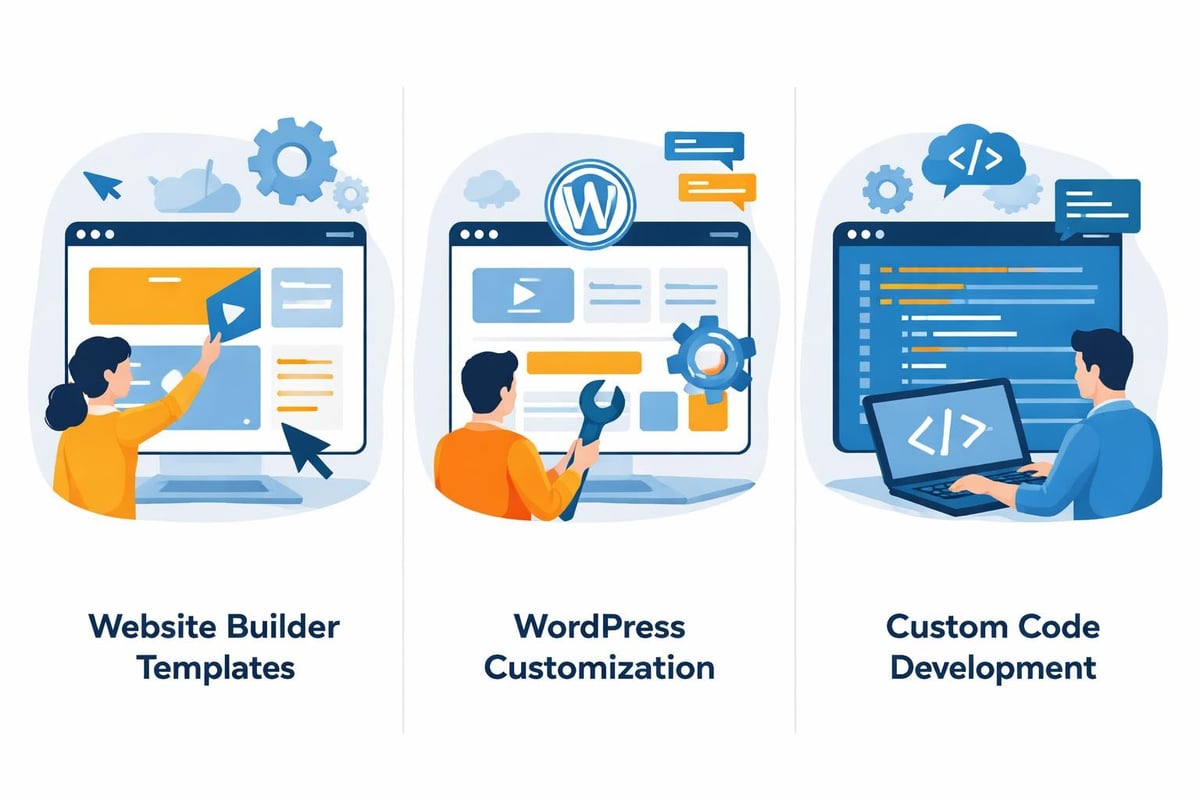
| Approach | Best For | Cost Range | Technical Skill |
|---|---|---|---|
| Website Builders | Quick launches, simple sites | $100-500/year | Beginner |
| WordPress | Growing businesses, blogs | $200-2,000/year | Intermediate |
| Custom Code | Unique requirements | $2,000-10,000+ | Advanced |
Content Management Systems
WordPress powers over 40% of websites globally, offering a middle ground between builders and custom development. Its extensive plugin ecosystem adds functionality without coding, while themes provide professional starting points you can customize.
Other CMS options include Joomla, Drupal, and modern headless solutions. For a basic website, WordPress typically provides the best balance of features, community support, and future scalability. Understanding website development basics helps you evaluate which platform aligns with your needs.
Optimizing Your Basic Website for Search and AI
Creating a basic website represents just the starting point. Visibility in search engines and AI platforms determines whether your target audience actually finds you. Modern optimization requires understanding both traditional search engine optimization and emerging AI-driven search behaviors.
Search Engine Fundamentals
SEO begins with technical foundations: fast loading speeds, mobile responsiveness, clean code, and secure connections. These elements signal quality to search algorithms before content even enters consideration.
On-page optimization involves strategic keyword placement, descriptive meta tags, and structured data markup. Each page on your basic website should target specific search intent, answering questions your audience asks. Internal linking between related pages helps both users and search engines understand your site structure and content relationships.
Essential SEO elements for every page:
- Unique, descriptive title tags under 60 characters
- Compelling meta descriptions between 140-150 characters
- One H1 heading incorporating your target keyword
- Strategic use of H2 and H3 subheadings for content structure
- Optimized image alt text describing visual content
- Clear URL structure reflecting page content
Preparing for AI Search Engines
AI-powered search platforms like ChatGPT, Perplexity, and Google's AI Overviews fundamentally change how people discover information. These systems prioritize authoritative, well-structured content that directly answers questions.
Structure your basic website content to serve both human readers and AI interpretation. Use clear headings, concise paragraphs, and factual information with proper context. Learning how search engines find websites provides insight into optimization strategies that work across traditional and AI-driven platforms.
Creating Accessible and Inclusive Experiences
Accessibility ensures everyone can use your basic website regardless of abilities or technologies. Beyond ethical imperatives, accessible design often improves overall user experience and expands your potential audience.
Core Accessibility Requirements
Inclusive web design principles emphasize equity, flexibility, and intuitive navigation. Implement these practices from the start rather than retrofitting them later.
- Provide text alternatives for all non-text content
- Ensure sufficient color contrast ratios (minimum 4.5:1)
- Make all functionality available via keyboard navigation
- Use clear, simple language appropriate for your audience
- Create consistent, predictable navigation patterns
- Design forms with clear labels and error messages
Screen readers, voice control systems, and assistive technologies rely on semantic HTML and proper markup. When you structure content correctly, these tools can accurately convey information to users who depend on them.
Mobile-First Responsive Design
Mobile devices generate over 60% of web traffic in 2026, making responsive design non-negotiable for any basic website. Mobile-first methodology starts with the smallest screen size, progressively enhancing for larger displays.
Test your basic website across multiple devices and browsers. Ensure touch targets meet minimum size requirements, text remains readable without zooming, and interactive elements respond appropriately to touch input. Performance on mobile networks particularly matters, as slow loading drives visitors away before content appears.
Launch Preparation and Quality Assurance
Thorough testing prevents embarrassing mistakes and technical issues that undermine credibility. Before announcing your basic website to the world, systematically verify every element functions as intended.

Pre-Launch Testing Checklist
Work through these verification steps methodically:
- Functionality testing: Click every link, submit every form, test every interactive element
- Cross-browser compatibility: View your site in Chrome, Safari, Firefox, and Edge
- Mobile responsiveness: Test on actual devices, not just browser emulators
- Performance optimization: Compress images, minify code, enable caching
- Security verification: Confirm SSL certificate installation and forced HTTPS
- Content proofreading: Check spelling, grammar, and factual accuracy
- SEO validation: Verify meta tags, sitemap submission, and robots.txt configuration
Professional agencies often use AI-powered tools to accelerate quality assurance while maintaining high standards. Understanding how modern web design processes work reveals how technology streamlines traditionally time-consuming tasks.
Backup and Maintenance Planning
Your basic website requires ongoing attention even after launch. Establish regular backup schedules ensuring you can recover from any disaster. Most quality hosting providers include automated backups, but verify they work and understand restoration procedures.
Plan for content updates, security patches, and periodic reviews of performance metrics. Set calendar reminders for quarterly audits addressing broken links, outdated information, and optimization opportunities.
Performance Monitoring and Iteration
Launch day marks the beginning, not the end, of your basic website journey. Monitoring visitor behavior reveals what works and what needs improvement, enabling data-driven refinements.
Analytics Implementation
Install analytics tracking before launch to capture complete historical data. Google Analytics provides comprehensive insights into traffic sources, user behavior, and conversion patterns at no cost.
Track these key metrics monthly:
| Metric | What It Reveals | Target Benchmark |
|---|---|---|
| Bounce Rate | Content relevance | Under 60% |
| Average Session Duration | Engagement level | Over 2 minutes |
| Pages Per Session | Navigation effectiveness | Over 2 pages |
| Conversion Rate | Goal achievement | Varies by industry |
| Page Load Time | Technical performance | Under 3 seconds |
Analyze trends rather than obsessing over daily fluctuations. Monthly reviews identify patterns requiring attention, from underperforming pages to successful content worth expanding.
Continuous Improvement Strategies
Your basic website should evolve based on actual user data and changing business needs. A/B testing different headlines, calls-to-action, or layouts reveals what resonates with your audience.
Gather qualitative feedback through user surveys or session recordings showing how real people interact with your site. These insights often uncover issues analytics alone miss, like confusing navigation or unclear value propositions.
Stay current with design trends and technical standards without chasing every fad. Maintaining fast website performance requires balancing new features against loading speed and user experience fundamentals.
Content Strategy for Long-Term Success
A basic website with static content quickly becomes stale. Developing a sustainable content strategy keeps your site relevant and improves search visibility over time.
Blogging and Fresh Content
Regular blog posts demonstrate expertise, target additional keywords, and give visitors reasons to return. Even a basic website benefits from publishing helpful content addressing audience questions and pain points.
Start with monthly posts rather than committing to unrealistic schedules you cannot maintain. Consistency matters more than frequency. Each piece should provide genuine value, not exist merely for SEO purposes.
Content types to consider:
- How-to guides solving specific problems
- Industry insights and trend analysis
- Case studies demonstrating results
- Frequently asked questions with detailed answers
- Resource lists and tool recommendations
Quality content naturally attracts backlinks from other websites, building authority signals search engines use for rankings. This organic growth compounds over time, making early investments in content increasingly valuable.
Email Integration and Lead Capture
Converting visitors into contacts enables ongoing relationships beyond single site visits. Even a basic website should capture email addresses through valuable incentives like newsletters, resources, or exclusive content.
Place signup forms strategically without overwhelming visitors. A subtle footer form and single popup triggered by exit intent balance conversion opportunities with user experience. Honor privacy by clearly explaining how you use collected information and providing easy unsubscribe options.
Building a basic website in 2026 combines accessibility, design fundamentals, and strategic optimization to create an effective online presence. While the technical aspects may seem complex initially, breaking the process into manageable steps makes it achievable for anyone committed to establishing their digital footprint. Whether you choose DIY approaches or professional assistance, understanding these fundamentals ensures you make informed decisions aligned with your goals. Creotivity specializes in building modern websites designed to rank highly on both traditional search engines and emerging AI platforms, combining technical excellence with strategic optimization to help businesses attract and convert customers efficiently.