
Your Web Design: Building Sites That Convert in 2026
Your web design serves as the digital foundation of your business presence. In 2026, it's no longer enough to simply have an attractive website-your design must strategically balance aesthetics, functionality, accessibility, and discoverability across both traditional search engines and AI-powered platforms. Every element of your web design, from typography and color schemes to navigation structure and page speed, directly influences whether visitors become customers and whether search algorithms choose to surface your content.
The Strategic Foundation of Modern Web Design
Your web design strategy should begin with clear business objectives rather than aesthetic preferences alone. Understanding who your target audience is, what actions you want them to take, and how your site fits into the broader competitive landscape shapes every subsequent design decision.
Defining Purpose and Conversion Goals
Before selecting colors or fonts, identify the primary purpose your website serves. E-commerce sites prioritize product discovery and checkout flow, while service-based businesses focus on lead generation and consultation bookings. Your web design must align with these core objectives.
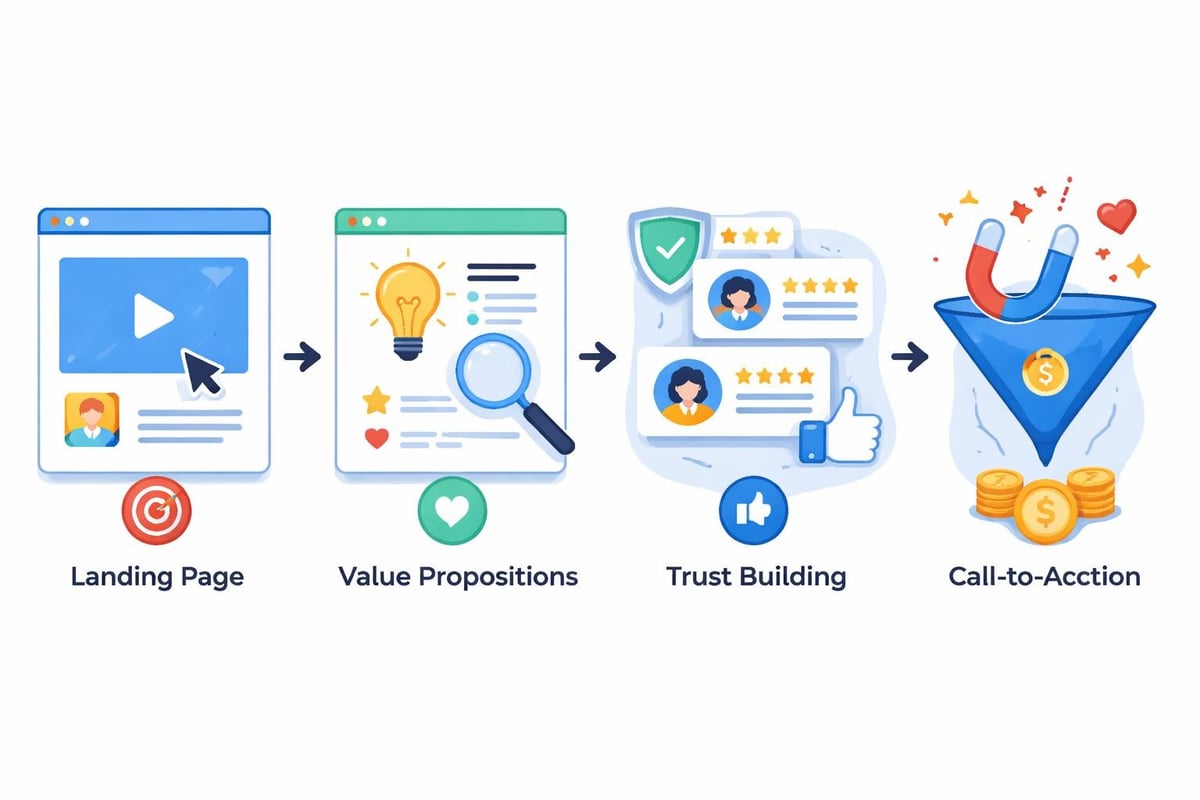
Essential conversion elements include:
- Clear value propositions above the fold
- Strategically placed call-to-action buttons
- Friction-reduced contact forms
- Trust signals like testimonials and certifications
- Mobile-optimized interaction points
The best web design software in 2026 offers drag-and-drop functionality alongside advanced customization options, as highlighted in TechRadar's comprehensive review of web design tools. However, tools alone don't guarantee results-strategic implementation matters more than the platform you choose.
Information Architecture and User Flow
Your web design must present information in logical hierarchies that mirror how users think and search. Navigation structures should be intuitive, with primary categories clearly distinguished from secondary options.
| Navigation Type | Best Use Case | Example Structure |
|---|---|---|
| Horizontal Menu | Service businesses, corporate sites | Home, Services, About, Blog, Contact |
| Mega Menu | E-commerce, content-heavy sites | Categories with visual subcategories |
| Hamburger Menu | Mobile-first, minimalist designs | Hidden menu revealing on tap |
| Sidebar Navigation | Documentation, knowledge bases | Hierarchical tree structure |
Effective information architecture reduces cognitive load and helps visitors find what they need within three clicks. When planning your web design, map out user journeys for different personas and ensure each path flows naturally toward conversion points.
Visual Design Principles That Drive Engagement
Your web design's visual elements communicate brand identity while guiding user attention toward important content. Professional design isn't about following trends-it's about strategic use of visual hierarchy, contrast, and whitespace to create compelling experiences.
Typography and Readability
Font selection dramatically impacts how users perceive and interact with your content. Your web design should employ a maximum of three font families: one for headings, one for body text, and optionally one for accents or special callouts.
Typography best practices:
- Use 16px minimum for body text to ensure readability
- Maintain 1.5 line height for comfortable reading
- Limit line length to 60-80 characters for optimal scanning
- Ensure sufficient color contrast (4.5:1 ratio minimum)
- Choose web-safe fonts or optimize custom font loading
According to Marq's website design best practices, consistent typography creates visual cohesion that reinforces brand recognition. Your web design typography should remain consistent across all pages and breakpoints.
Color Psychology and Brand Consistency
Colors in your web design trigger emotional responses and influence decision-making. Blue conveys trust and professionalism, making it popular among financial and healthcare brands. Orange creates urgency, often used for call-to-action buttons. Green suggests growth and sustainability.
Choose a primary brand color, complementary accent colors, and neutral backgrounds. Your web design color palette should pass accessibility tests, ensuring sufficient contrast for users with visual impairments. The Web Content Accessibility Guidelines (WCAG) provide detailed standards for color contrast and visual accessibility.
Performance Optimization and Technical Excellence
Your web design's technical foundation determines how quickly pages load, how smoothly interactions feel, and ultimately whether users stay or bounce. In 2026, performance is a ranking factor for both traditional Google search and AI-powered discovery platforms.
Page Speed and Core Web Vitals
Google's Core Web Vitals measure real-world user experience across three dimensions: loading performance (Largest Contentful Paint), interactivity (First Input Delay), and visual stability (Cumulative Layout Shift). Your web design must optimize all three metrics.
- Compress and optimize images using modern formats (WebP, AVIF)
- Implement lazy loading for below-the-fold content
- Minimize JavaScript execution and render-blocking resources
- Use content delivery networks (CDNs) for faster global distribution
- Enable browser caching for repeat visitors
- Eliminate unnecessary third-party scripts
Sites that load in under two seconds experience significantly higher conversion rates. Creotivity's web design services leverage AI to accelerate the coding and structural setup, delivering custom, high-performance websites in weeks rather than months while maintaining optimal speed and user experience.

Mobile-First Responsive Design
Over 60% of web traffic originates from mobile devices in 2026, making mobile-first design non-negotiable. Your web design should start with mobile layouts, then progressively enhance for tablets and desktops.
| Device Category | Viewport Width | Design Considerations |
|---|---|---|
| Mobile | 320-480px | Single column, large tap targets, simplified navigation |
| Tablet | 481-768px | Two-column layouts, condensed menus, touch optimization |
| Desktop | 769px+ | Multi-column grids, hover states, expanded content |
Responsive design requires testing across actual devices, not just browser resizing. Your web design elements should reflow naturally, maintaining usability and aesthetic appeal across all screen sizes. Websites optimized for both traditional and AI search engines must deliver consistent experiences regardless of how users access your content.
Accessibility and Inclusive Design
Your web design must serve all users, including those with disabilities. Accessible design isn't just ethically important-it's legally required in many jurisdictions and expands your potential audience significantly.
WCAG Compliance Standards
The Web Content Accessibility Guidelines establish four core principles: perceivable, operable, understandable, and robust. Your web design should implement these standards from the start rather than retrofitting accessibility later.
- Provide text alternatives for images and media
- Ensure full keyboard navigation without mouse dependency
- Include proper heading hierarchies (H1, H2, H3)
- Design forms with clear labels and error messages
- Maintain sufficient color contrast ratios
- Offer text resizing without breaking layouts
As discussed by the University of Washington's web accessibility program, accessible design benefits everyone by creating clearer, more intuitive interfaces. For detailed guidance on implementing these standards, SiteGround's accessible web design guide offers practical implementation strategies.
Keyboard Navigation and Screen Readers
Your web design must function completely without a mouse. Microsoft recently introduced the 'focusgroup' tool to simplify keyboard-accessible website development, addressing a complex but essential aspect of inclusive design.
Screen reader users navigate differently than sighted users. Your web design should include skip-to-content links, descriptive link text instead of "click here," and ARIA labels for interactive elements that lack visible text labels.
SEO Integration and AI Visibility
Your web design directly impacts search engine rankings and AI platform citations. Modern SEO isn't separate from design-it's integrated into every structural and content decision.
Semantic HTML and Structured Data
Search engines and AI platforms parse your site's code to understand content relationships. Your web design should use semantic HTML5 elements (header, nav, main, article, aside, footer) that clearly indicate content purpose.
Structured data markup benefits:
- Enhanced search result listings with rich snippets
- Improved AI understanding of content context
- Better categorization in knowledge graphs
- Higher click-through rates from search results
Implementing schema.org markup for products, articles, events, and local businesses helps your web design communicate explicitly with both traditional search algorithms and generative AI platforms. The strategies outlined in SEO-optimized website design demonstrate how structural decisions influence discoverability.
Content Strategy and AI Search Optimization
Your web design must accommodate comprehensive content that answers user questions thoroughly. AI search platforms like ChatGPT, Claude, and Perplexity prioritize authoritative, well-structured content when generating responses.
Create dedicated sections for frequently asked questions, detailed service explanations, and educational resources. Your web design should make this content easily scannable through headings, bullet points, and visual breaks. Understanding what AIO is and why businesses need it in 2026 reveals how AI-driven search fundamentally changes content strategy requirements.

Conversion Rate Optimization Through Design
Your web design exists to drive business results, not just look attractive. Conversion rate optimization (CRO) applies behavioral psychology and data analysis to design decisions that increase the percentage of visitors who complete desired actions.
Strategic Call-to-Action Placement
Effective CTAs in your web design combine compelling copy, contrasting visual design, and strategic placement. Primary CTAs should appear above the fold on landing pages, with supporting CTAs distributed throughout longer content.
High-converting CTA characteristics:
- Action-oriented verbs (Get, Start, Discover, Claim)
- Contrasting button colors that stand out from backgrounds
- Ample whitespace preventing visual clutter
- Mobile-optimized sizes (minimum 44x44 pixels)
- Contextual relevance to surrounding content
Testing different CTA variations reveals what resonates with your specific audience. Your web design should facilitate A/B testing without requiring complete redesigns.
Trust Elements and Social Proof
Your web design must overcome natural skepticism by strategically incorporating trust signals. Client logos, testimonials, case studies, security badges, and industry certifications reduce perceived risk.
| Trust Element | Ideal Placement | Impact on Conversion |
|---|---|---|
| Client Logos | Homepage hero section | +15-30% credibility boost |
| Testimonials | Service pages, checkout | +20-40% conversion lift |
| Security Badges | Forms, payment pages | +10-25% form completion |
| Case Studies | Consideration pages | +25-50% engagement |
Position trust elements near decision points in your web design. Testimonials work best adjacent to pricing or contact forms, while client logos strengthen homepage first impressions.
Branding Integration and Visual Identity
Your web design translates brand strategy into visual and interactive experiences. Consistency across all touchpoints reinforces brand recognition and professional credibility.
Visual Consistency Across Platforms
Brand guidelines should govern every aspect of your web design, from color palettes and typography to imagery style and tone of voice. This consistency extends beyond your website to social media, email templates, and offline materials.
Full-service agencies like Stijl en Vorm demonstrate how integrated approaches to web design, branding, and marketing create cohesive digital presences that strengthen brand positioning. Your web design should feel like a natural extension of your overall brand identity.
Balancing Brand Expression and Usability
While your web design should express unique brand personality, usability must never be sacrificed for creativity. Innovative navigation patterns or unconventional layouts often confuse users accustomed to standard web conventions.
According to CodeVix's web design principles, the most effective sites balance distinctive branding with familiar interaction patterns. Users should instantly understand how to navigate your site while feeling the experience is uniquely yours.
Content Management and Scalability
Your web design must accommodate business growth. Whether you're adding new services, expanding into new markets, or publishing regular content, your site structure should scale without requiring complete redesigns.
Flexible Content Systems
Modern content management systems allow non-technical team members to update content while maintaining design consistency. Your web design should establish reusable content blocks and templates that preserve visual standards.
Essential CMS capabilities:
- Drag-and-drop page builders with pre-designed sections
- Custom post types for different content categories
- Media libraries with automated optimization
- User role management for content approval workflows
- Version control and rollback functionality
Planning your web design with future growth in mind prevents costly rebuilds. Build flexible grid systems that accommodate various content types and lengths.
Design Systems and Component Libraries
Large-scale websites benefit from design systems-documented collections of reusable components, patterns, and guidelines. Your web design becomes more efficient when designers and developers reference a single source of truth.
Button styles, form elements, card layouts, and navigation patterns should be standardized across your web design. This consistency improves user experience while reducing development time for new pages or features.
Testing and Continuous Improvement
Your web design is never truly finished. User behavior evolves, technologies advance, and competitive landscapes shift. Continuous testing and refinement ensure your site remains effective.
Analytics and User Behavior Tracking
Implement comprehensive analytics to understand how visitors interact with your web design. Heat maps reveal where users click, scroll maps show content engagement depth, and session recordings expose usability friction.
- Set up goal tracking for conversions, form submissions, and key page visits
- Monitor bounce rates by page to identify problematic content
- Analyze user flow to understand navigation patterns
- Review mobile vs. desktop behavior differences
- Track page load times and performance metrics
Data-driven decisions remove guesswork from your web design optimization. As outlined in Sugar Pixels' best practices guide, successful websites iterate based on real user data rather than assumptions.
A/B Testing and Iterative Refinement
Small changes to your web design can yield significant conversion improvements. Test one variable at a time-headline copy, CTA button color, form length-to isolate what drives results.
| Element to Test | Variation Examples | Expected Impact |
|---|---|---|
| Headlines | Benefit-focused vs. feature-focused | 10-30% engagement change |
| CTA Copy | "Get Started" vs. "Start Free Trial" | 15-25% click difference |
| Form Fields | 3 fields vs. 7 fields | 20-40% completion variance |
| Images | People vs. products vs. abstract | 5-20% conversion shift |
Run tests long enough to achieve statistical significance. Your web design decisions should be validated by actual performance data, not subjective preferences.
Security and Trust Infrastructure
Your web design must protect both your business and your visitors. Security breaches damage reputation, lose customer trust, and potentially expose you to legal liability.
SSL Certificates and HTTPS
Every modern website requires SSL encryption. Beyond security, HTTPS is a ranking factor for search engines and a requirement for many browser features. Your web design should redirect all HTTP traffic to HTTPS automatically.
Visitors now expect the padlock icon in their browser address bar. Missing SSL certificates trigger prominent security warnings that drive immediate abandonment. This basic security measure is non-negotiable for your web design in 2026.
Privacy Compliance and Data Protection
Your web design must comply with privacy regulations including GDPR, CCPA, and emerging AI-specific data laws. Cookie consent banners, privacy policy links, and transparent data collection practices are legal requirements, not optional features.
Implement privacy-by-design principles where you collect only necessary data, provide clear opt-out mechanisms, and secure user information with appropriate technical measures. Your web design should make privacy controls easily accessible and understandable.
Your web design represents far more than visual aesthetics-it's the strategic intersection of user experience, brand identity, technical performance, and business objectives. Every design decision, from color selections to code structure, influences whether your site attracts visitors, builds trust, and converts browsers into customers. Creotivity specializes in building modern websites optimized for both traditional search engines and AI platforms, combining strategic design with cutting-edge technology to deliver sites that rank highly and convert effectively. Ready to transform your digital presence with web design that drives real business results?